User Busy Presence Summary Reports
The User Busy Presence Summary and User Busy Presence Summary By Day reports give supervisors visibility into team productivity and how team members spend time across Busy, Available, and custom statuses.
Note: Data in these reports is updated every 2 hours.
User Busy Presence Summary
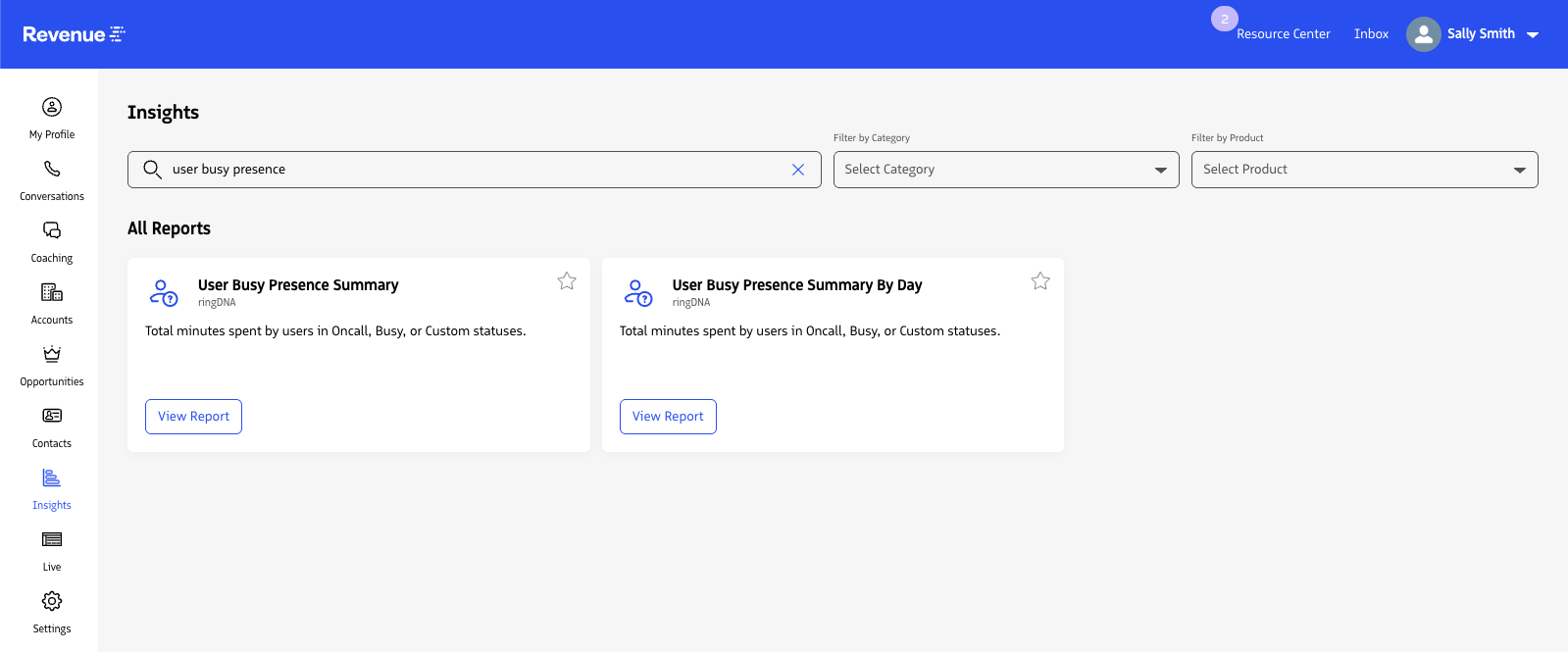
To access the User Busy Presence Summary report:
- Log in to the Revenue app.
- Open
Insightsfrom the left navigation. - Search for and select
User Busy Presence Summary.
The User Busy Presence Summary report displays results in two views: User Busy Presence Totals and User Busy Presence Summary.
- User Busy Presence Totals shows how many minutes a user spends in
On Call,Busy,Available, or custom user statuses during the selected timeframe. - User Busy Presence Summary lists the same status data grouped by user in a table.
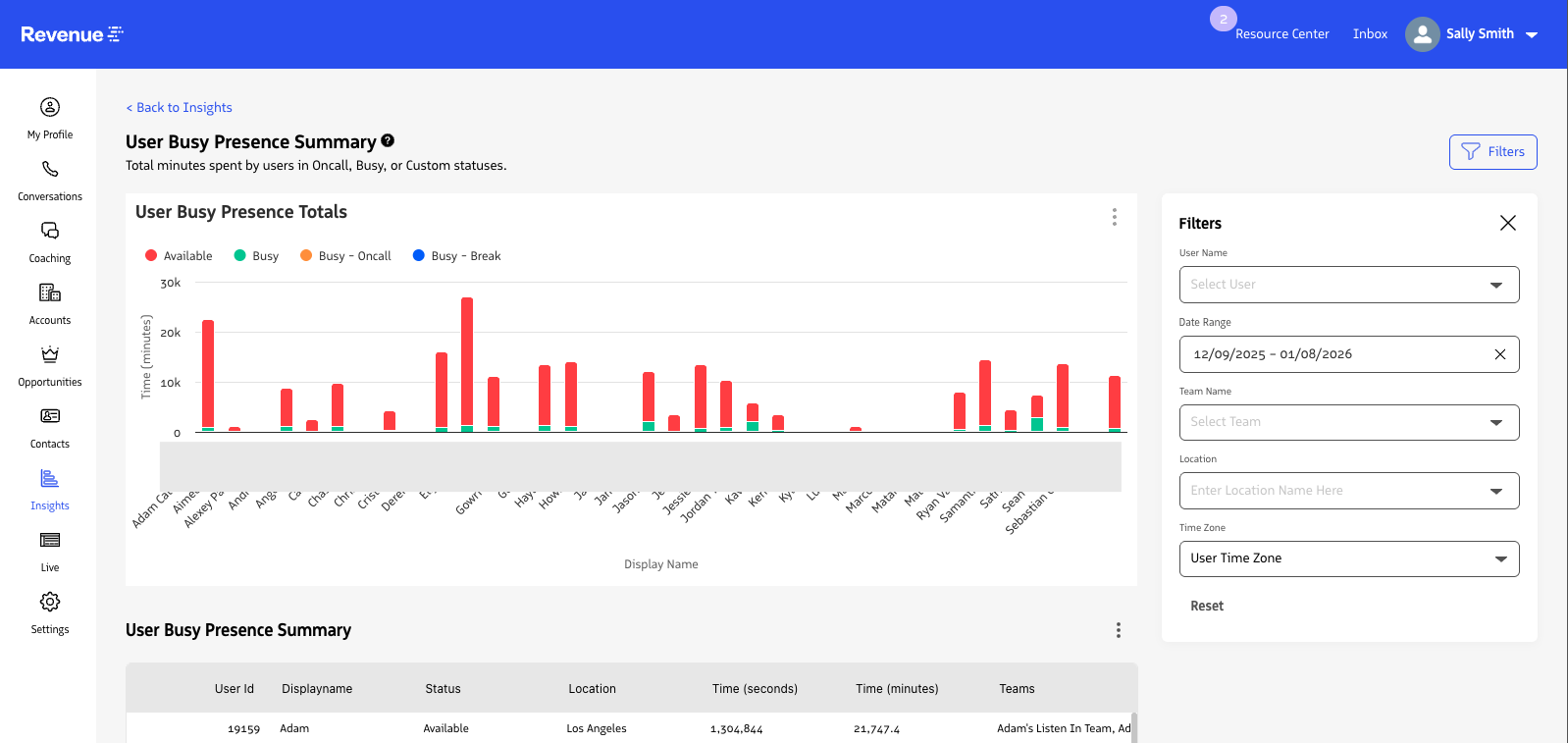
Report filters
| Field | Definition |
|---|---|
| User Name | Shows results for a specific Revenue.io user. Defaults to all users when no user is selected. |
| Team Name | Shows results for users who are members of a specific Team. Defaults to all teams when no team is selected. |
| Location Name | Shows results for users in a specific location. Defaults to all locations when no location is selected. |
| Start Date | Sets the beginning date for report data. |
| End Date | Sets the ending date for report data. |
| User Time Zone | Lets users view report time in their own time zone or in UTC. |
User Busy Presence Summary By Day
To access the User Busy Presence Summary By Day report:
- Log in to the Revenue app.
- Open
Insightsfrom the left navigation. - Search for and select
User Busy Presence Summary By Day.
The User Busy Presence Summary By Day report visualizes how many minutes per day are spent in Call, Busy, Available, or custom user statuses.
User Busy Presence Detail lists all status changes for the selected user during the selected timeframe.
- Available: Time spent where the user status is set to the general
Availablestate. - Busy: Time spent while manually designated as busy but not on a phone call. This is the default busy state.
- Busy - On Call: Time spent busy while actively on a phone call. Users are set to this status while on an active phone call.
- Busy - Wrap Up: If a phone call is placed to a queue, that queue can include a wrap-up timer that changes the user to a busy state after the phone call so they can complete post-call actions.
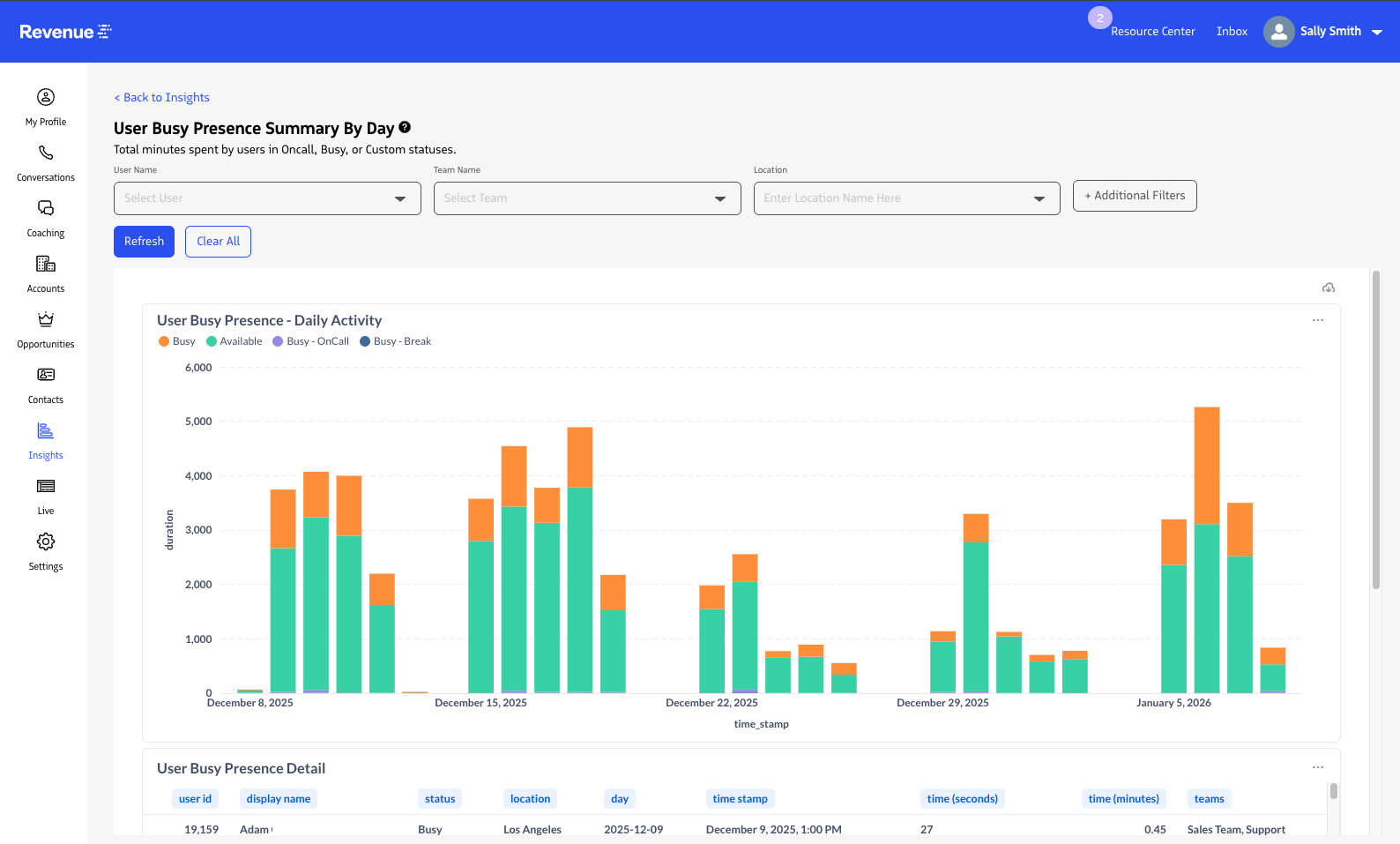
Report Filters
| Field | Definition |
|---|---|
| User Name | Shows results for a specific Revenue.io user. Defaults to all users when no user is selected. |
| Team Name | Shows results for users who are members of a specific Team. Defaults to all teams when no team is selected. |
| Location Name | Shows results for users in a specific location. Defaults to all locations when no location is selected. |
| Start Date | Sets the beginning date for report data. |
| End Date | Sets the ending date for report data. |
| Timezone | Lets admins adjust the time zone for Presence Detail events to local time or UTC. |
Last updated on