Manage Back to Back Meetings in Moments™
Roles:
AgentSupervisor
License:
RingDNA
Managing participants within the Moments™ Application requires enablement by the Revenue.io team. Please reach out to your Customer Success or Account Manager to request enablement.
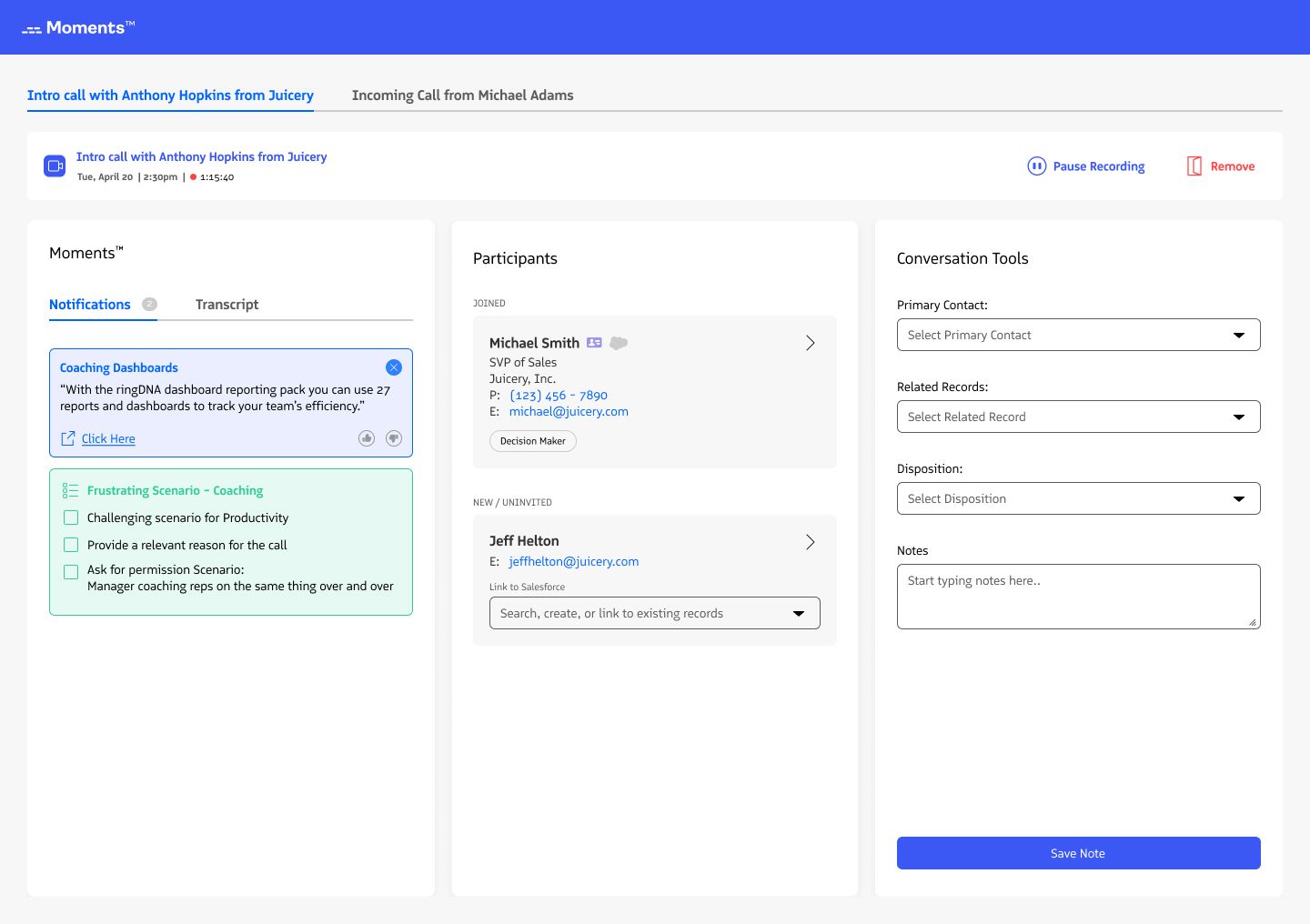
The multi-tab Moments™ experience helps you manage back-to-back meetings and handle overlapping calls smoothly. Each meeting stays in its own tab, preventing sessions from blending together and giving you better control over meeting actions.
Key Features
Manage Multiple Meetings Simultaneously
- Have multiple meetings open at the same time within Moments™
- If one meeting runs over and overlaps with the next, each call remains distinct in its own tab
Seamless Meeting Assistant Control
- Remove the Meeting Assistant from one meeting while continuing in another
- Transition between calls without disrupting recording or transcription
Enhanced Post-Meeting Actions
- Set related records, dispositions, and meeting types at your convenience
- No more rushing to input details before a session times out. Conversation tools remain available until you update and save them
Quick Access to Scheduled Meetings
- Meetings automatically start when detected in your calendar
- Manually add a new meeting by clicking New Meeting and entering a meeting URL
How to Use the Multi-Tab Experience
- Switch between meetings: If multiple meetings are in progress, select the tab for the call you want to focus on
- Manage active sessions: End a call or remove the Meeting Assistant from a session you no longer need
- Update meeting details: Add a disposition, meeting type, and related records after the call at your own pace
- Start a new meeting: Click New Meeting, enter the meeting URL, and start tracking immediately
Why This Matters
- Prevents call data from blending when meetings overlap
- Provides flexibility to manage multiple conversations effortlessly
- Eliminates time restrictions for entering post-call details
- Ensures a cleaner, more organized experience when handling multiple meetings
Last updated on