Custom Call Tracking
Custom Call Tracking requires a JavaScript snippet on your website. You may need help from your web development team.
What is Custom Call Tracking?
Custom Call Tracking lets you show a dedicated phone number on a subdirectory of your site to visitors who arrived from another URL that also uses a subdirectory path.
The tool builds on Basic Call Tracking by assigning a dedicated number, call flow, and Salesforce marketing campaign to traffic between specific pages, not just whole domains. Basic Call Tracking is domain-specific; Custom Call Tracking is subdirectory-specific.
For example, you can show a unique number on https://www.revenue.io only to visitors from www.facebook.com/salessoftware/, or any specific page rather than an entire site. Phone calls can route through a call flow to a team, specific users, an IVR, or a recording, and can be tied to a Salesforce campaign.
For example, you can:
- Send callers through a call flow so you can route to a team or user, use a unique IVR, or play a unique message.
- Associate phone calls with a Salesforce campaign to see leads and new business from a single online source.
- Compare phone call volume across referral partners and assess whether phone calls are qualified and creating opportunities.
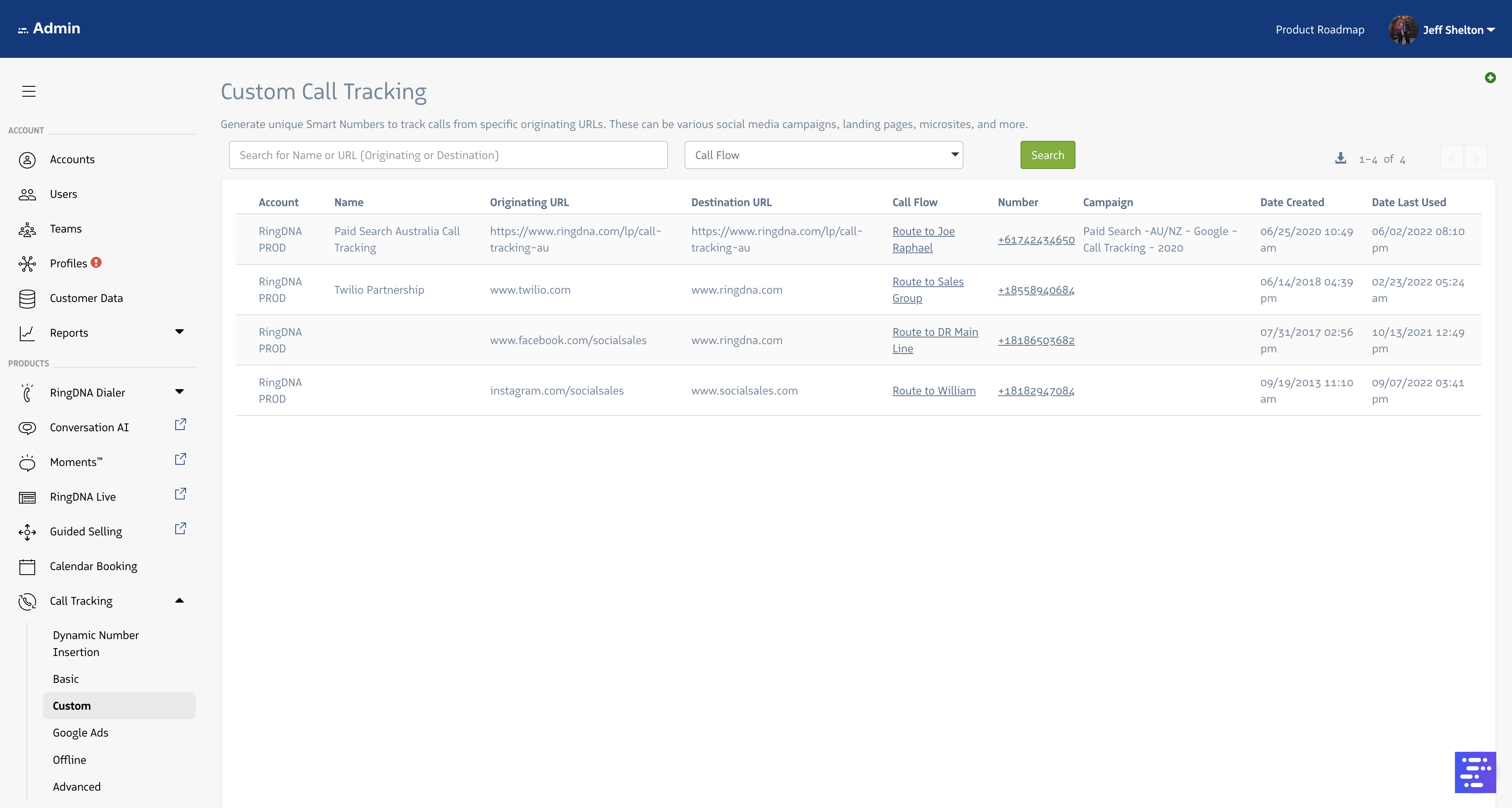
Custom Call Tracking attributes calls when both source and destination URLs are specific pages.
To open Custom Call Tracking in the Revenue app, go to Custom Call Tracking.
Configure Custom Call Tracking
- Sign in to app.ringdna.net (admin access required).
- In the left navigation, open
Call Tracking, thenCustom Call Tracking. - Click the green + button in the upper right.
- Configure the rule: enter a name, originating URL (where traffic comes from), destination URL (where traffic lands), choose a phone number, assign a call flow, and optionally assign a Salesforce campaign.
- Your Custom Call Tracking numbers appear under the
Custom Call Trackingmenu.
Note: To change existing Custom Call Tracking numbers, contact Revenue.io Support.
- Add the Revenue.io tracking JavaScript to your site so the Custom Call Tracking number follows your rules. Follow the steps in How to Install Tracking Code on Your Website. Your web team may need to deploy the changes.