SMS Templates
SMS Templates are reusable text templates that automatically populate the user’s SMS message box in the dialer when the user clicks Send from Engage. Below you’ll find how they work with Guided Selling and where to configure them.
How SMS templates work with Guided Selling
When you set up SMS actions in a sequence, the Sequence Builder lets you define an SMS Template for that action. The template is reusable text that automatically populates the user’s SMS message box in the dialer when the user clicks the Send button (or Message button) on Engage.
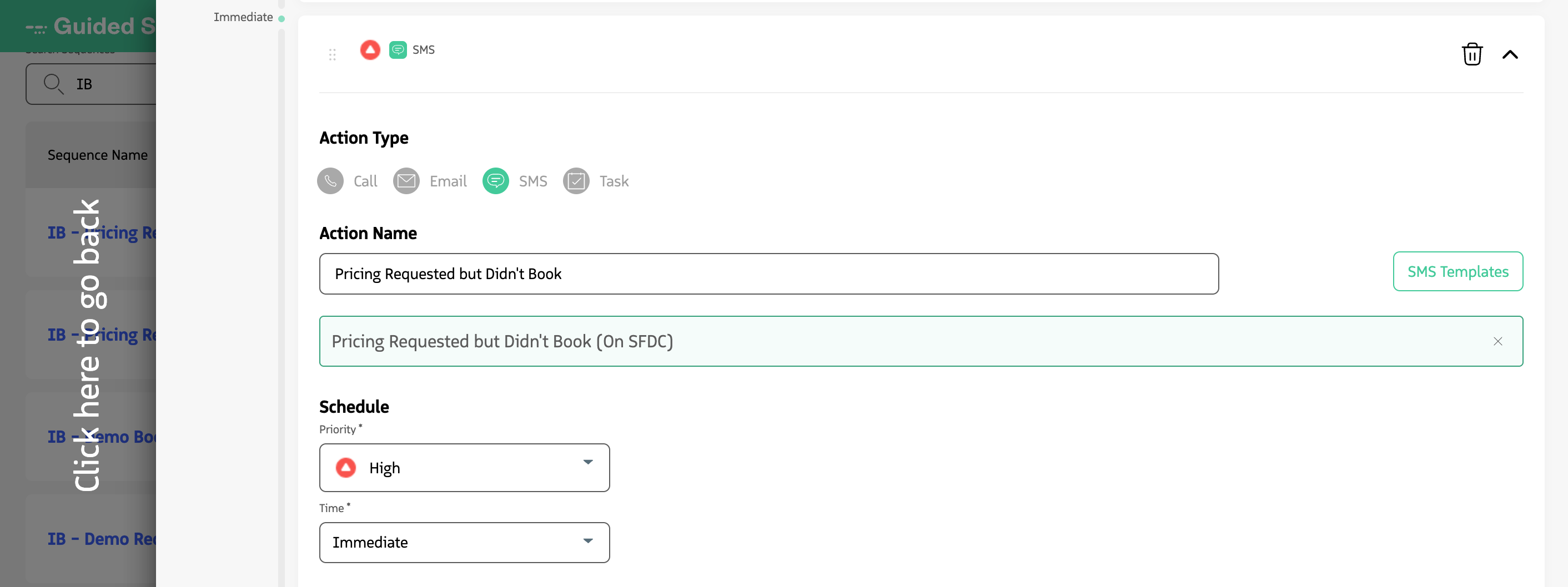
Defining an SMS Template on an SMS action in the Sequence Builder.
SMS Templates are useful when:
- You need structured, consistent messages with less typing. For example, follow-ups or meeting confirmations can use a template so agents send consistent content without retyping.
- You want to pass context to the user. You can include campaign details, next steps, or participant information so the agent can personalize and send quickly.
When the user clicks Send (or Message) on an SMS action in Engage, the chosen template fills the message window so the agent can edit and send.
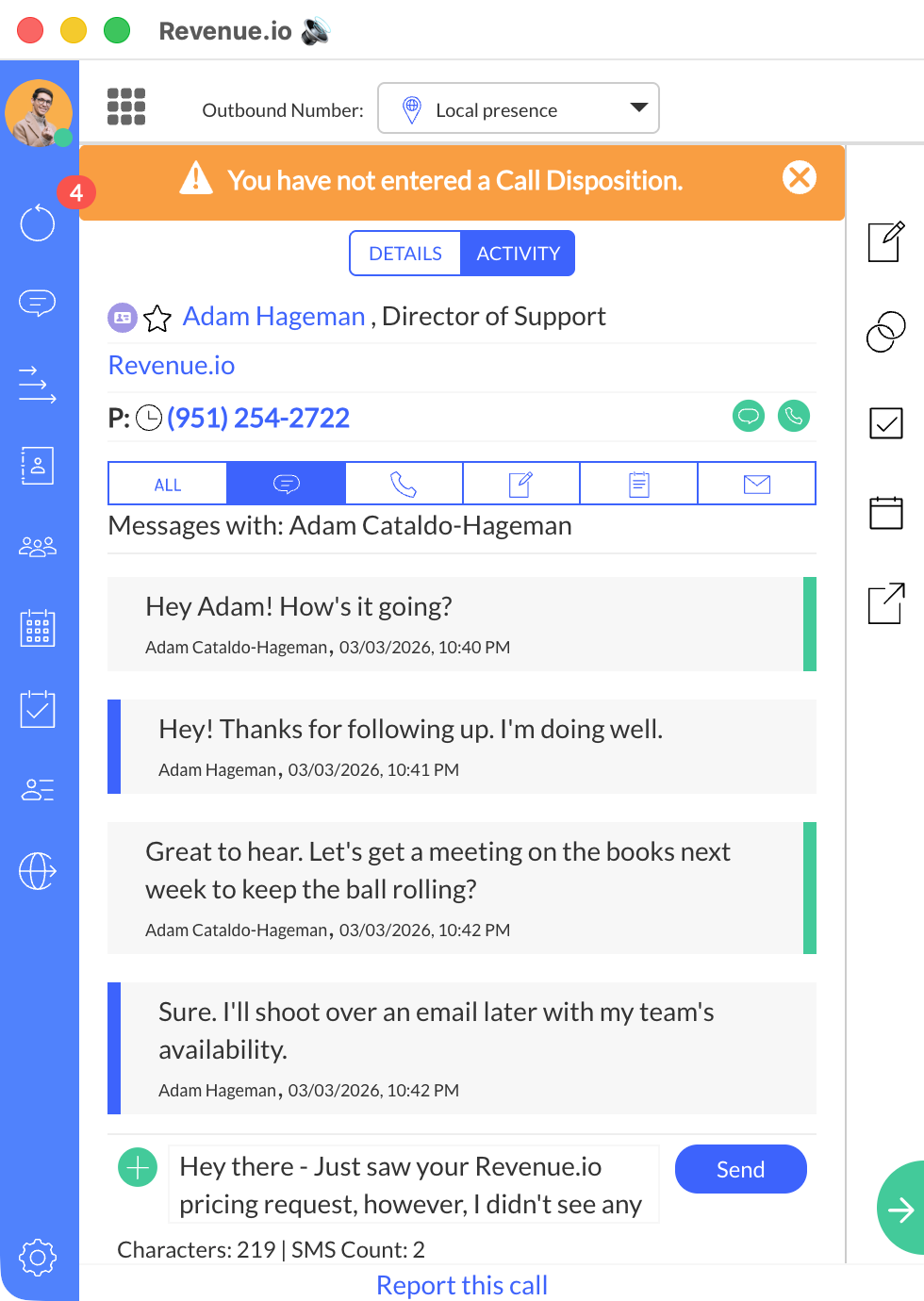
SMS Template populating the message window when the user clicks Send on Engage.
Create an SMS Template
SMS Templates are created and managed in the Admin Console by a RingDNA Administrator. The templates you configure there are the same ones available when you assign an SMS Template to an SMS action in the Guided Selling Sequence Builder.
To create, edit, or manage SMS Templates (including enabling the feature and adding template text), see Enable SMS/MMS and SMS Templates for RingDNA.
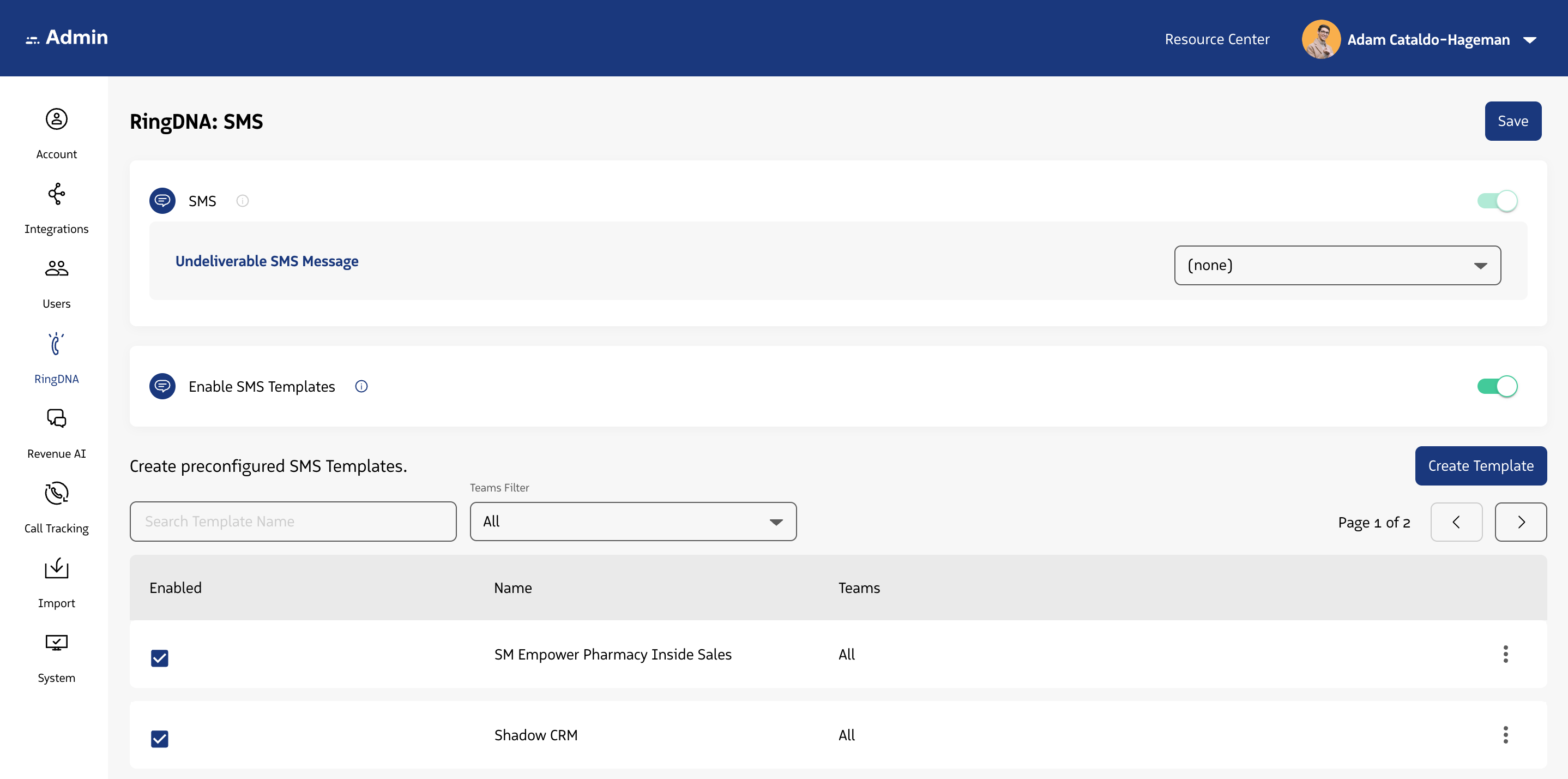
SMS Templates are configured in the Admin Console by a RingDNA Administrator.