Call Note Templates
Call Note Templates are reusable text templates that automatically populate in the user’s Notes under Call Tools when the user places a call from Engage. Below you’ll find how they work with Guided Selling and where to configure them.
How Call Note Templates work with Guided Selling
When you set up Call actions in a sequence, the Sequence Builder lets you define a Call Note Template for that action. The template is reusable text that automatically populates in the user’s Notes field under Call Tools in the RingDNA intelligent dialer when the user clicks the Call button on Engage.
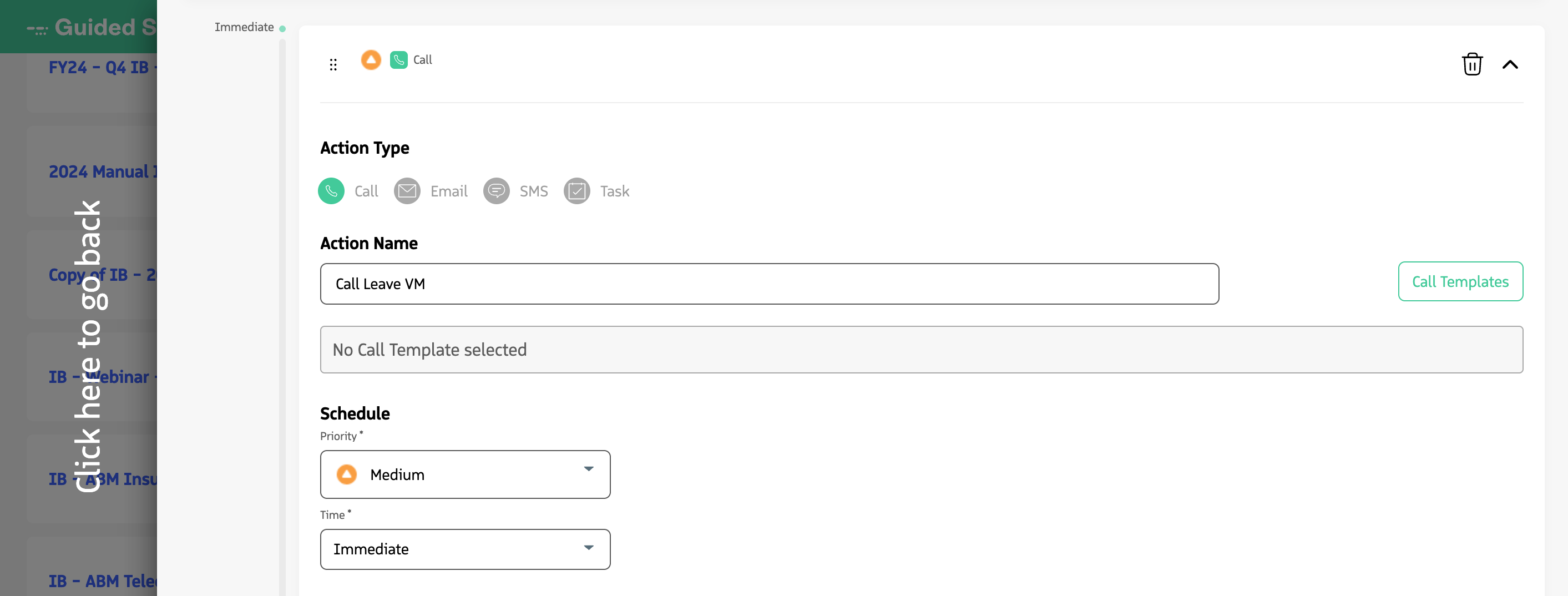
Defining a Call Note Template on a Call action in the Sequence Builder.
Call Note Templates are useful when:
- You need structured notes for specific types of calls. For example, discovery calls or follow-ups, where you can have a template with prompts or questions so agents capture consistent information.
- You want to pass context to the user about the call. You can include talking points, campaign details, or other information that helps the agent before or during the phone call.
When the user clicks Call on an action in Engage, the chosen template fills the Notes area in Call Tools so the agent can follow the structure, add their notes, and save them with the call activity.
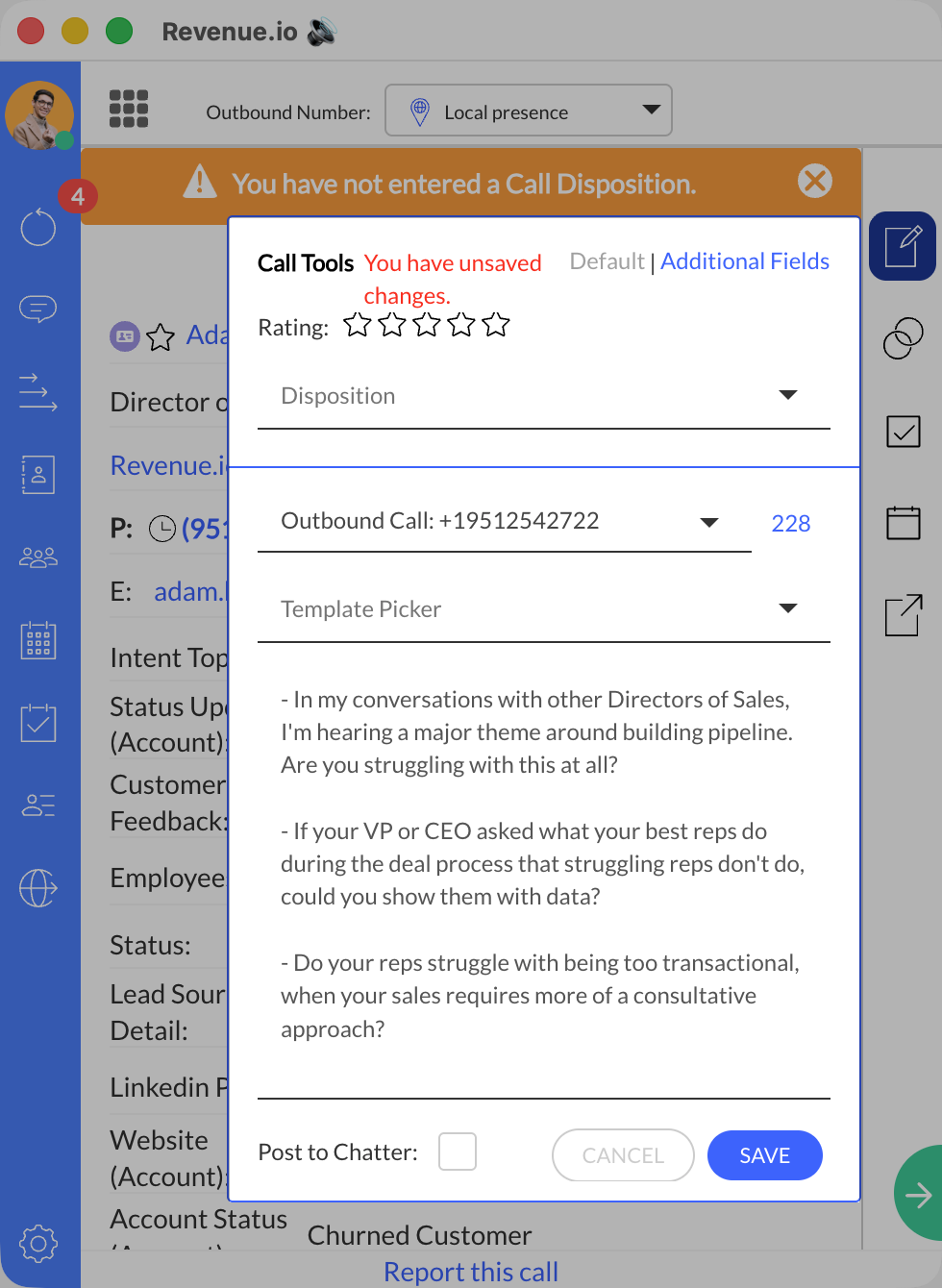
Call Note Template populating the Notes field in Call Tools when the user clicks Call on Engage.
Create a Call Note Template
Call Note Templates are created and managed in the RingDNA app by a RingDNA Administrator. The templates you configure there are the same ones available when you assign a Call Note Template to a Call action in the Guided Selling Sequence Builder.
To create, edit, or manage Call Note Templates (including enabling the feature and adding template text), see Manage Call Notes Templates for RingDNA.
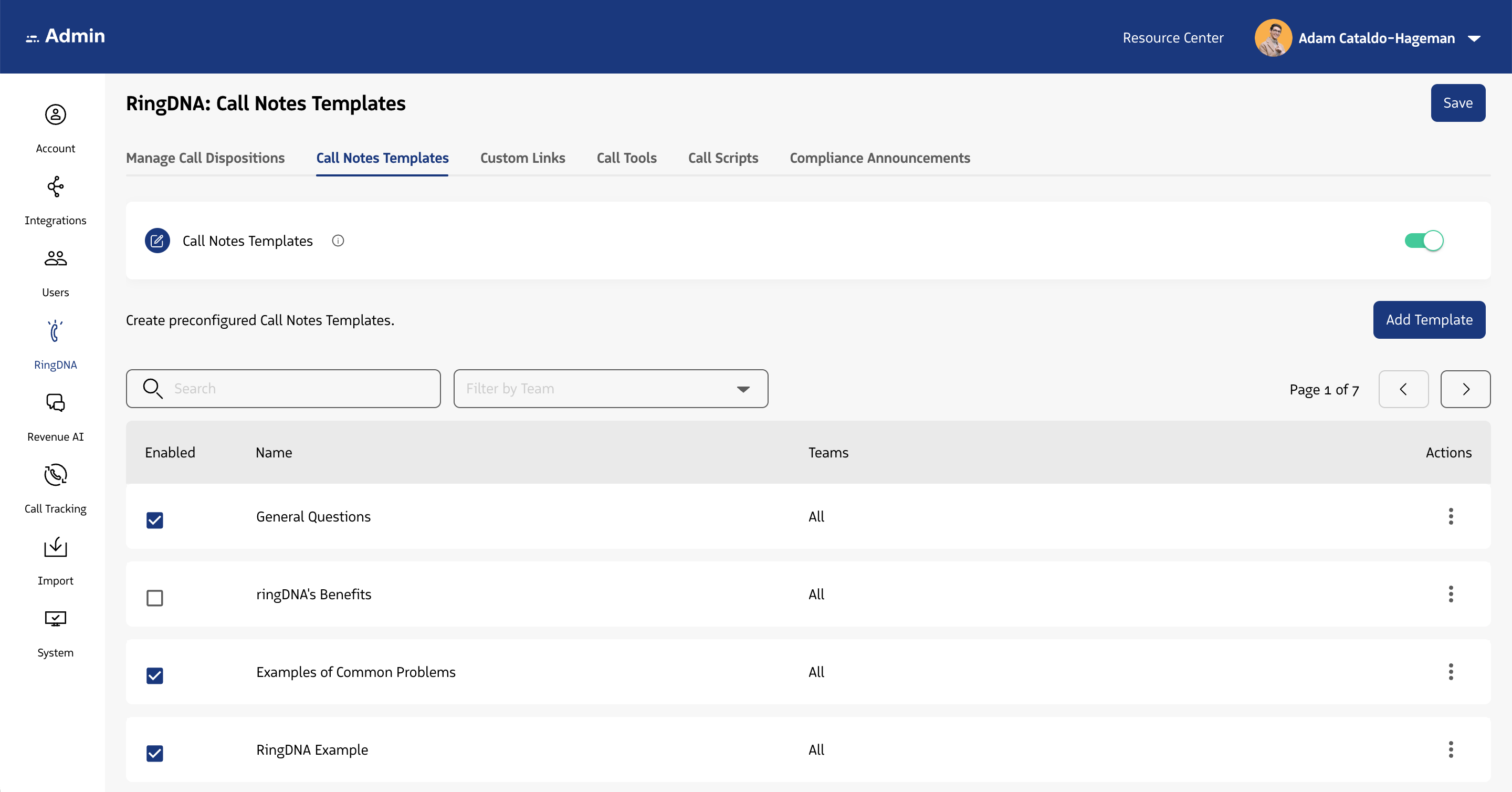
Call Notes Templates are configured in the RingDNA app by a RingDNA Administrator.