Sequences
Roles:
Sequence AdminSequence Agent
License:
Guided Selling
The Sequence Admin Permission Set is required to be able to create or modify Sequences. Users with the Sequence Agent Permission Set can only view a Sequence’s setup.
A Sequence is a playbook of ordered actions (calls, SMS, emails, and tasks) for your participants. You define the steps once; Guided Selling automatically assigns actions for users to complete in Engage, so they can focus on having effective conversations instead of who to call next.
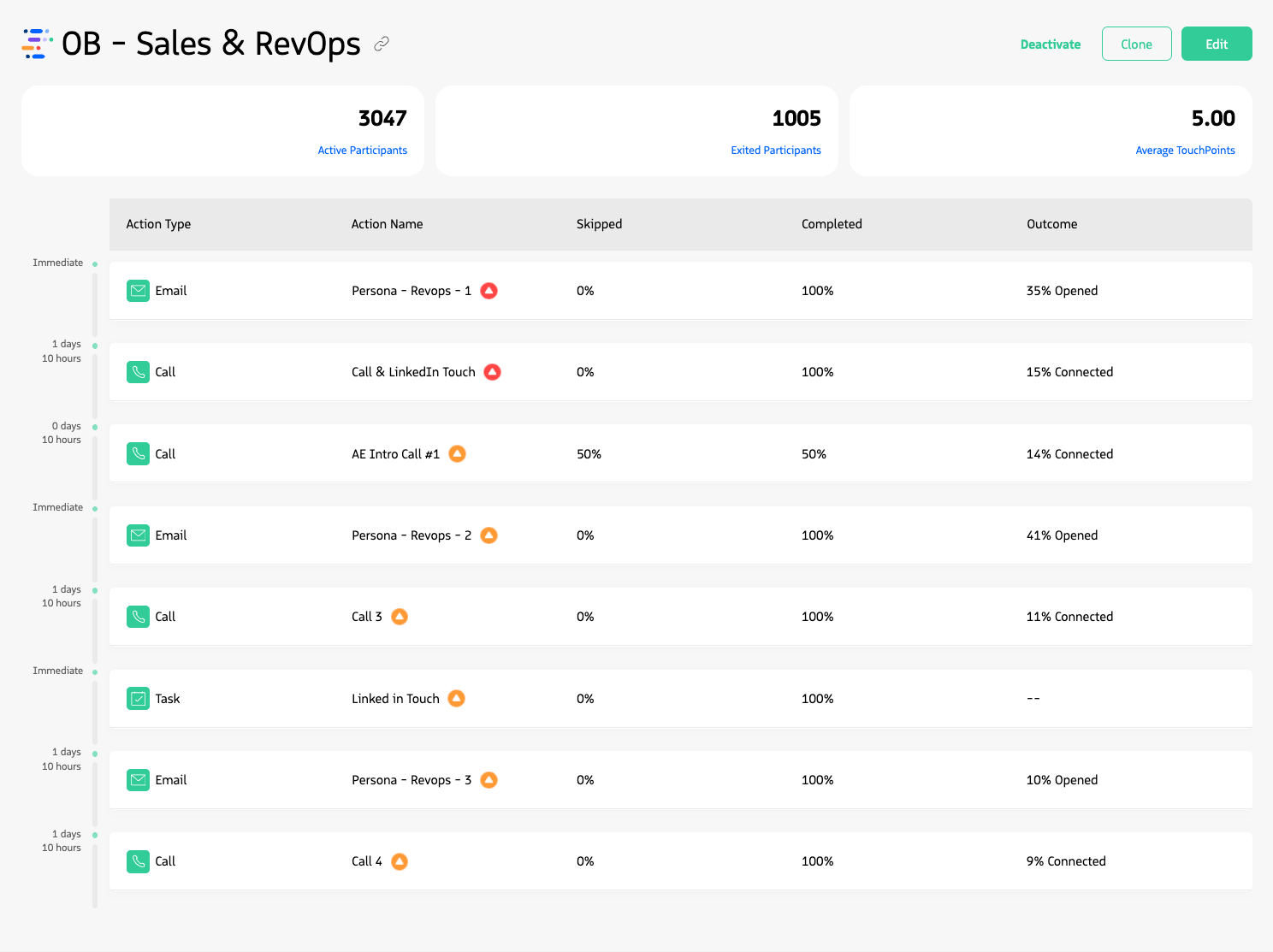
Viewing a typical Guided Selling sequence.
Each sequence has a record type (Lead, Contact, Opportunity, or Campaign), an activation type (Automatic or Manual), and entrance and exit criteria that control when records are added or removed.
How-To Articles
Step-by-step instructions for creating and configuring a new sequence
View details, edit, clone, or delete existing sequences
Concepts
Lead, Contact, Opportunity, or Campaign—determines who can be enrolled and which fields are available
Manual vs. automatic enrollment and sequence priority
The steps in a sequence—calls, SMS, email, and tasks—and how they are scheduled
Entrance and exit criteria for adding and removing participants
Who owns participant actions and how to set delegated owners
Allow participants to re-enter the same sequence after exiting
Limit how many participants enter the sequence per day
Last updated on