Enable Pagination
Role:
Sequence Agent
License:
Guided Selling
Pagination helps you browse large action lists in smaller, easier-to-manage pages.
Enable pagination
- Open
Engage. - Select the
Settingsicon (gear) in the toolbar. - In the settings drawer, find the
Paginationcheckbox. - Turn
Paginationon. - When prompted, select
Refresh nowto apply the change.
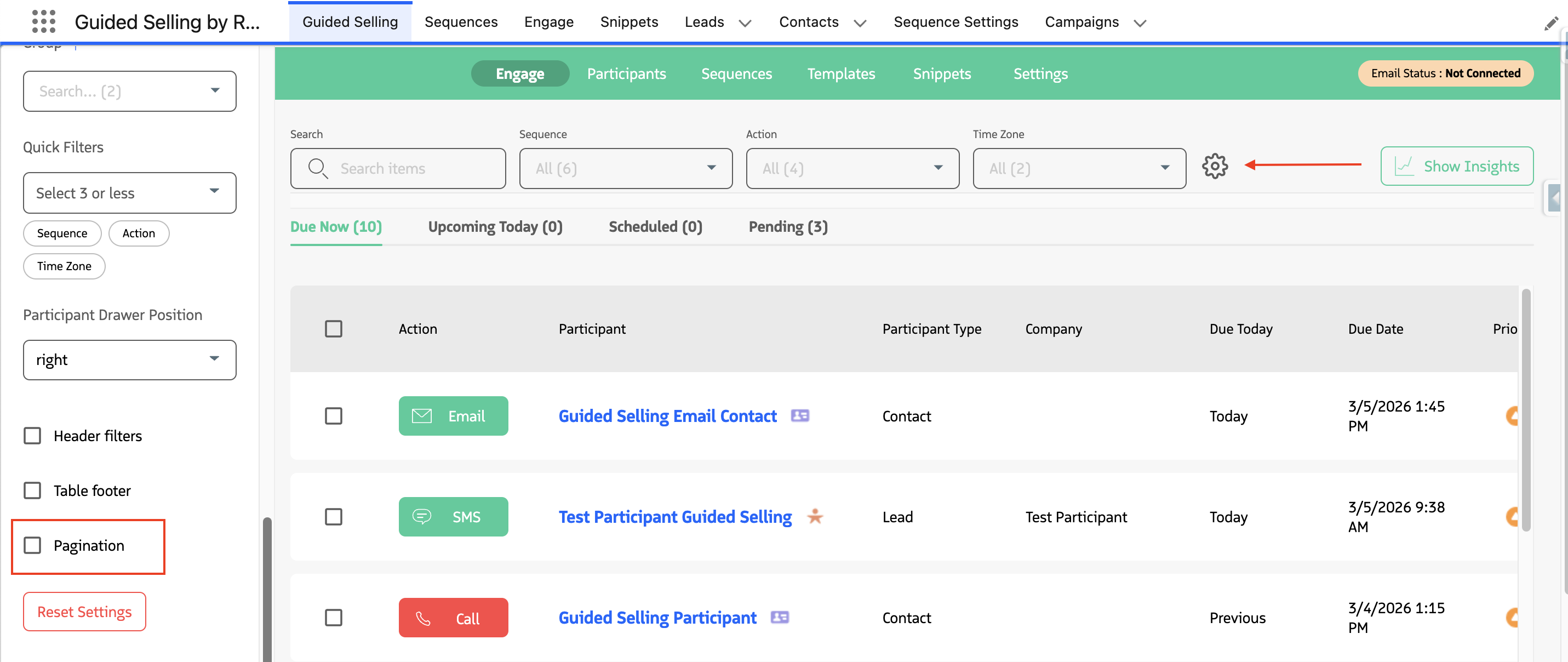
Important: Engage requires a refresh after changing the Pagination setting.
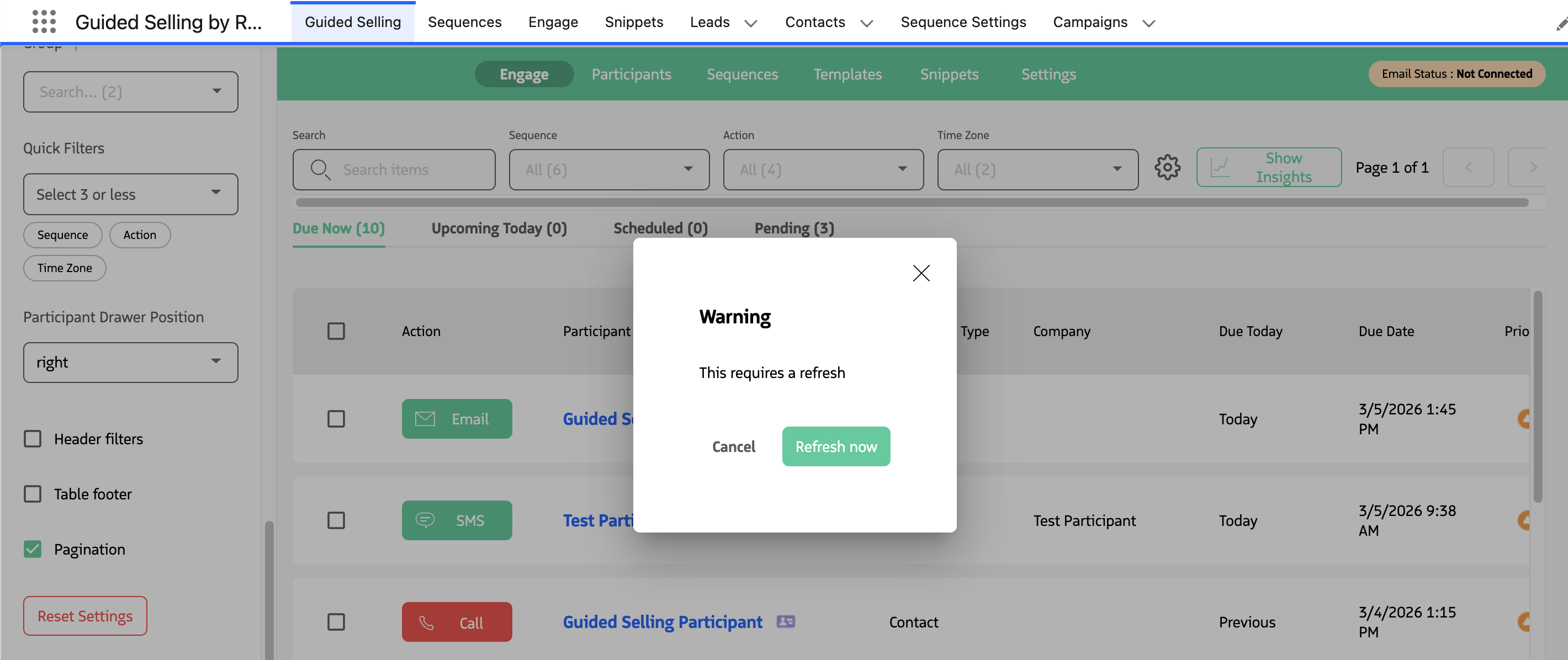
After refresh, your Engage table will display paged results instead of a single long list.
Turn pagination off
Follow the same steps and clear the Pagination checkbox, then refresh when prompted.
Troubleshooting
- I turned it on but nothing changed
- Confirm you selected
Refresh now. - If needed, do a manual browser refresh.
- Confirm you selected
- The setting changed back
- Re-open Engage and verify the setting in the gear menu.
- If your browser clears local settings, the preference may reset.
Last updated on