Complete Actions on Engage
Role:
Sequence Agent
License:
Guided Selling
This page explains how to complete participant actions from the Engage view and when each status applies. For step-by-step instructions for a specific action type, use the guides linked below.
Detailed Steps by Action Type
Place or log a call from the Engage list
Send an SMS from the Engage list
Send an email from the Engage list
Complete a Salesforce task from the Engage list
Complete an Action
- Open the
Engageview. - Ensure you are on the
Due Nowtab. - Click the relevant action button (
Call,Message,Email, orTask).
After you complete the action, it is automatically removed from Engage.
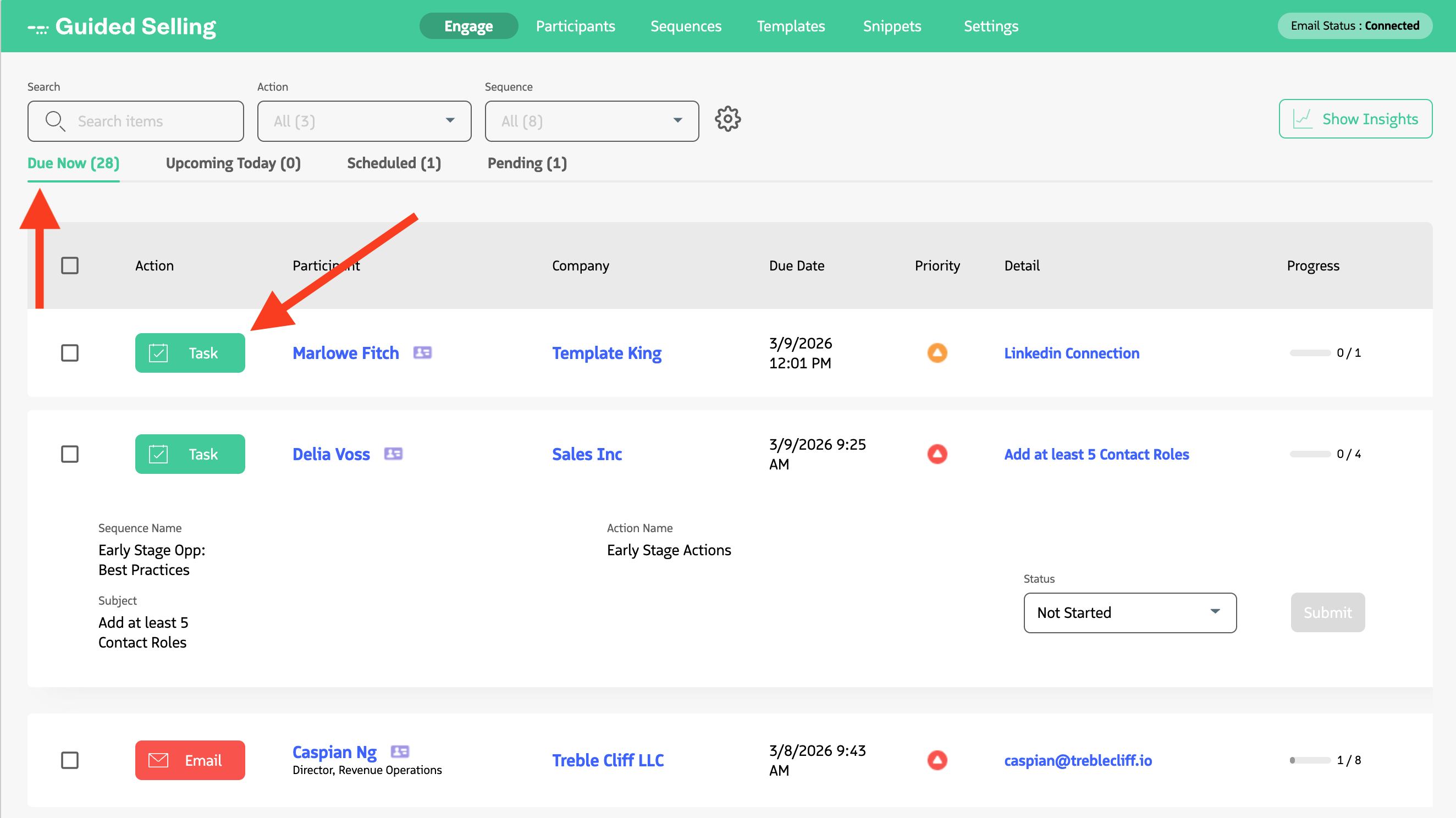
Action buttons in the Engage view let you quickly complete Calls, Messages, Emails, and Tasks.
Status Reference
In the Engage list, you will typically see only active statuses:
| Image | Status | Description |
|---|---|---|
 | Due | Ready to be completed. |
 | Pending | Scheduled for later; the action cannot be completed yet. |
 | Overdue | Past its due date. |
Completed and deferred actions are not shown in the active Engage tab.
Last updated on