System Updates
The System Update page displays the latest versions of Guided Selling available for the Salesforce organization. It serves as a self-upgrade portal for our clients, allowing them to easily upgrade to the newest version.
Administrators are notified in Salesforce when a new version of Guided Selling is made available. Each upgrade can be accessed from the Guided Selling Sequence Settings > System Update page.
Accessing System Updates
Navigate to System Updates
- Navigate to Guided Selling Settings
- Go to the System Update page
- View available versions and current version
Review Available Updates
- Check the latest available version
- Review release notes for new features and fixes
- Compare with your current version
- Plan the upgrade if needed
When viewing the System Update page, your current version of Guided Selling will be displayed in the top right. Pending updates are displayed in the center of the page with a summary of the release notes.
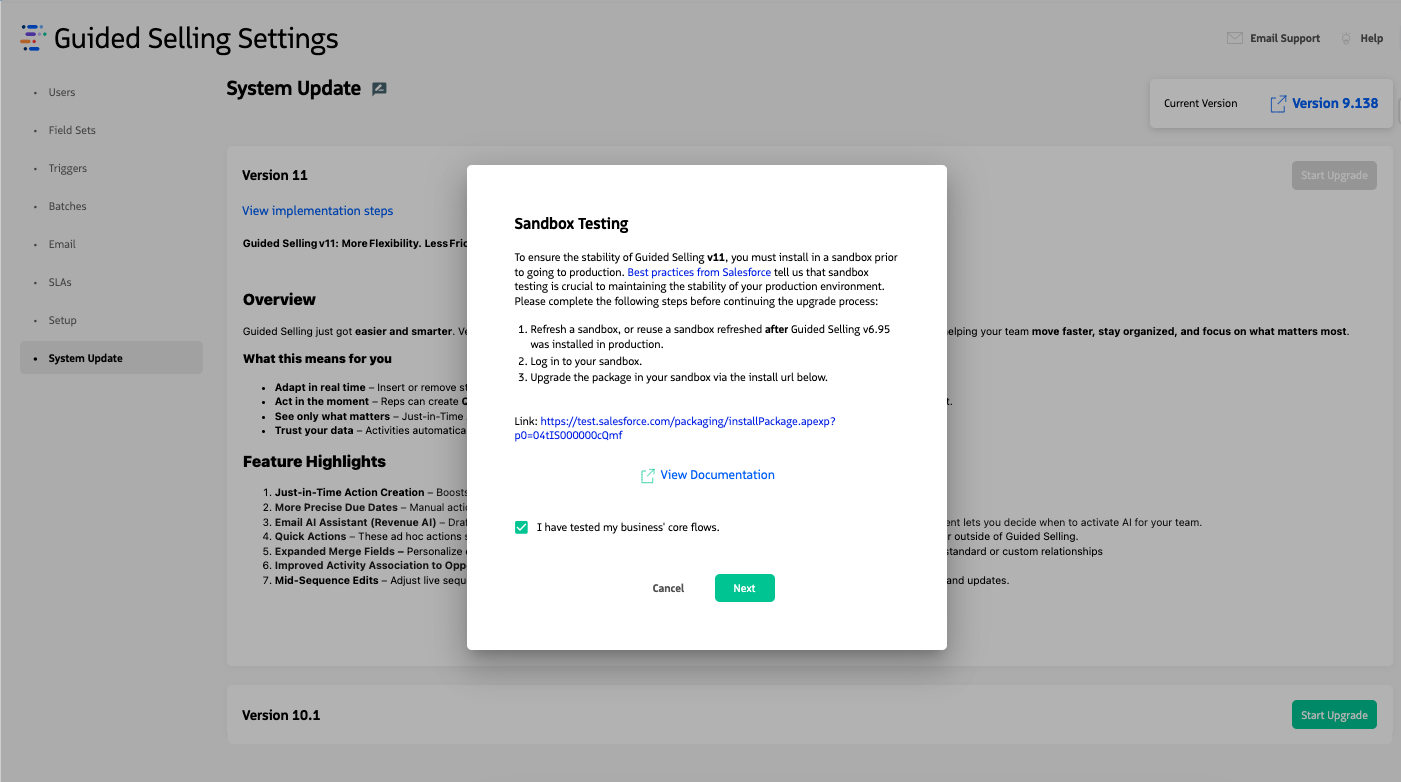
The System Update page displays your current version and available updates.
Performing a Self-Service Upgrade
The System Update page provides a streamlined process for upgrading Guided Selling. The upgrade process should always be performed in a sandbox environment first, then in production.
Check for Updates
- Navigate to Guided Selling Settings > System Update
- Review your current version displayed in the top right
- Review pending updates displayed in the center of the page
- Read the release notes summary for each available update
Install in Sandbox
- Click the Start Upgrade button
- Click the Sandbox Install URL link
- Log into Salesforce using your Sandbox credentials
- Complete the package installation in your sandbox
- Test core business flows to ensure normal business operations are functional
Install in Production
- Navigate to the Production org’s System Update page
- Click Start Upgrade again
- Check the box to confirm you have completed sandbox testing
- Click Next
- Review the Production Install link and any post-update implementation documentation
- Complete the production installation
Upgrade Process Details
During upgrades, the code in the PostInstallClass executes automatically to manage tasks such as migrating data to newly created fields or objects. This class initiates other batch jobs that handle these processes.